
How to Manage BangBet Login and Password Recovery
Manage your BangBet login easily 🔐. Get clear steps for password recovery and solving login issues. Secure your BangBet account and keep your bets safe today!
Edited By
Michael Spencer
Managing your BangBet account login and password on mobile is straightforward but requires some care to avoid common pitfalls. BangBet’s platform is designed to work smoothly on both Android and iOS devices, offering quick access to your betting activities anytime.
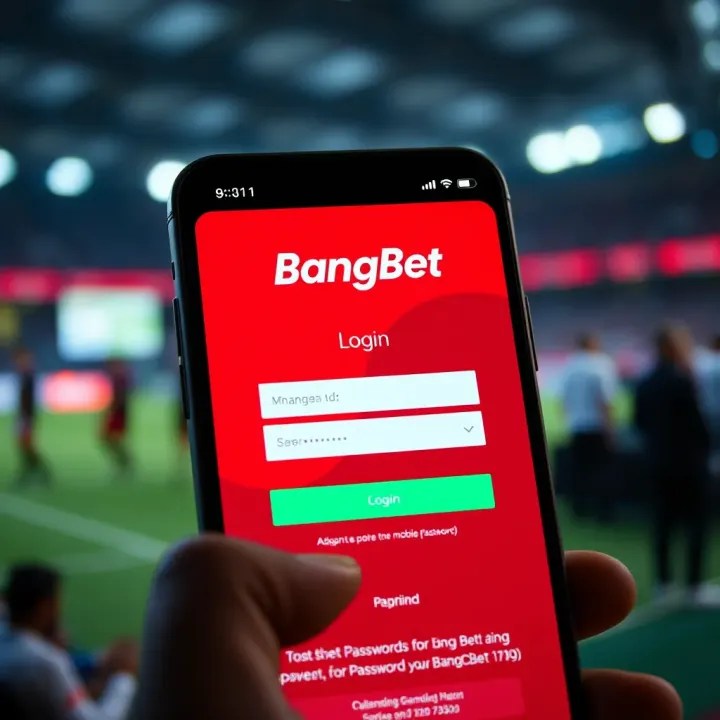
To sign in, open the BangBet app or visit the mobile site and enter your registered phone number or username along with your password. If you use the BangBet USSD platform, dial the correct code and follow the prompts carefully to access your account.
If you forget your password, BangBet offers an easy recovery process:
Select the "Forgot Password" option on the login screen.
Provide your registered phone number or email linked to your account.
You will receive an SMS or email with a verification code.
Enter the code in the app or website to reset your password.
Always reset your password promptly once you get the code to avoid expiry.
To keep your account secure, update your password regularly. You can do this in the app settings or customer dashboard:
Log in to your BangBet account.
Go to "Account Settings" or "Security."
Choose "Change Password," then enter your current and new password.
Confirm the new password and save changes.
Strong passwords combining letters, numbers, and special characters are better to prevent hacking attempts.
Besides updating your password, consider these steps:
Enable two-factor authentication (2FA) if BangBet supports it, adding a second verification layer via SMS or authenticator apps.
Avoid public Wi-Fi when logging in, as unsecured networks risk password theft.
Log out after each session, especially on shared devices.
Your BangBet account holds sensitive financial information. Taking these small precautions can protect you from fraudulent activities.
Problems like delayed SMS codes, app crashes, or incorrect password errors can arise. If this happens:
Check your phone’s network and internet connection.
Ensure you enter the correct phone number and password without typos.
Update the BangBet app to the latest version.
Restart your device if the problem persists.
If you still face login troubles, BangBet offers support channels:
Live chat on the app or website.
Email support at their official contact.
Call their customer service hotline.
Use these options for direct help, especially when password reset or account issues are urgent.
Managing your BangBet account login and password carefully ensures smooth access and a secure betting experience on mobile. Following these simple steps keeps your funds and data safe while enjoying the platform’s features.
Accessing your BangBet account on mobile brings convenience right to your fingertips, especially in Nigeria where many rely on smartphones for daily online activities. Whether you’re at home, in traffic on a danfo, or waiting at the barbing salon, being able to manage your bets swiftly and securely is a major advantage. Mobile access ensures you never miss out on live betting opportunities or important match updates, which can directly affect your betting decisions and potential winnings.
Using mobile devices also helps reduce reliance on desktop computers, which are often less accessible or less portable. Besides, the mobile app and website offer interfaces optimised for smaller screens, making navigation smoother. That said, understanding how to access your account efficiently on mobile, including compatible platforms and the login process, is essential for a seamless experience.
BangBet supports both Android and iOS platforms, covering the majority of smartphones Nigerians use today. The Android app, downloadable from BangBet's official site, works well on many devices, including popular brands like Tecno, Infinix, and Samsung. For iPhone users, BangBet offers an iOS app available through the App Store.

If you prefer not to download the app, the mobile website is another reliable option. It is designed to work smoothly with mobile browsers such as Chrome, Safari, and Firefox. This flexibility means you can place bets and manage your account on almost any smartphone without worrying about device specifications.
Logging in to your BangBet account on mobile is straightforward and can be done via the app or mobile browser. Here’s how to proceed:
Open the BangBet app or navigate to the mobile website using your preferred browser.
Enter your registered phone number or username in the login field.
Type your password carefully, respecting upper and lower case characters to avoid login errors.
Tap the "Log In" button to access your account dashboard.
If you enable the “Remember Me” option, the app or browser can keep you logged in for quicker access next time. However, avoid this on shared devices to prevent unauthorised access.
Always double-check your internet connection before logging in, as poor network quality can disrupt the process and cause login failures.
Using the mobile login correctly ensures you can place bets swiftly, check live scores, and deposit or withdraw funds without hassle. This convenience helps you stay engaged with the vibrant Nigerian sports betting scene across football, basketball, and other popular sports.
In summary, having BangBet on your mobile device keeps you in control anywhere and anytime. Regardless of whether you use the app or website, following the supported platform guidelines and simple login steps will keep your betting experience straightforward and efficient.
Managing your BangBet account password effectively is vital for protecting your betting funds and personal data. Since your password serves as the gatekeeper to your account, setting and regularly updating a strong password minimises risks of unauthorised access or cyber theft — hazards that Nigerian bettors face more often than many realise. By paying attention to password management, you ensure safer transactions and uninterrupted access to your favourite sporting bets.
A strong password acts like a solid lock on your account door. It should be a mix of uppercase and lowercase letters, numbers, and special characters rather than easy guesses like your name, birthdate, or common words. For example, instead of "ole23", choose something like "Ol3h!2024". This combination reduces vulnerability to brute force attempts.
Avoid using the same password for multiple sites, especially banking or social media accounts. If someone cracks your BangBet password, having a unique password means other platforms stay safe. Tools like password managers can help you create and store these complex passwords securely, so you don’t have to rely on memory.
Changing your BangBet password using your phone is straightforward. Start by logging into your account, then navigate to the ‘Settings’ or ‘Profile’ section where you will find the ‘Change Password’ option. Enter your current password, followed by the new password twice for confirmation. Make sure your new password meets the strength criteria stated above.
That said, always confirm the update before exiting. After changing your password, try logging out and back in to verify the change took effect. This simple test prevents frustrations caused by forgotten passwords or accidental typos.
Regularly updating your BangBet password—every three to six months—is a wise practice, especially if you access your account on public or shared networks.
Managing your BangBet password properly keeps your betting experience hassle-free and secure. With a strong, unique password and timely updates, you reduce chances of hacking while enjoying the convenience of mobile betting. Remember, your account security starts with you.
Forgetting your BangBet password can be frustrating, especially if you’re eager to place bets. Knowing how to recover it quickly ensures you regain access without losing momentum in the betting season. This section explains the exact steps on your mobile device and highlights common issues you might face during recovery, helping you avoid unnecessary delays.
BangBet has made the password recovery process straightforward on mobile platforms. To begin, tap the “Forgot Password” link on the login page. You’ll be asked to enter the email address or phone number linked to your account. This helps the system verify your identity before proceeding.
Once submitted, BangBet sends a unique reset code or link via SMS or email, depending on your choice. Enter the code or click the link within the allotted time, usually 15 minutes, to access the reset page. Here, you can set a new password. It’s best to choose a password different from your previous ones but still easy enough for you to remember.
Keep your registered phone and email active during this process. For instance, if your phone is out of network or your email app is not working, the reset message may not come through, causing delays.
Password reset can sometimes hit snags. A common error is not receiving the reset code. This often happens if your phone is on silent mode, blocked SMS from unknown numbers, or your email filter marks the mail as spam. Check your spam folder first, and ensure your phone settings do not block SMS from shortcodes.
Another issue is entering an incorrect email or phone number. Double-check what you entered. Typos or using an old phone number not linked to your BangBet account will cause failures. If you recently changed your contact information but did not update BangBet, contact customer support promptly.
Expired reset links are another pain point. They expire quickly for security, so try resetting immediately when you receive the link. If it expires, simply initiate the process again.
Always remember to create strong, memorable passwords after recovery to avoid repeated resets. It's better to use a password manager app if you struggle with memorising complex passwords.
If these errors persist, contacting BangBet customer support via chat or phone can provide swift assistance to regain access.
By understanding how to navigate password recovery and troubleshoot common issues, you secure uninterrupted access to your BangBet mobile account, helping you stay ahead in your betting activities.
Keeping your BangBet account secure is vital to prevent unauthorised access and safeguard your funds. Since BangBet involves real money transactions, a compromised account can lead to financial losses or identity theft. Nigerian bettors, especially, must treat account security with seriousness due to frequent phishing attempts circulating via SMS, email, and social media.
Start by creating a strong, unique password that combines uppercase and lowercase letters, numbers, and symbols. Avoid obvious choices like birthdates, "password123", or repetitive keys. For example, instead of "Oluwa123", try something like "Oluw@2024#Bet" which is not easy for hackers to guess.
Never share your password with anyone, even if they claim to be BangBet staff. BangBet representatives will never ask for your password through calls or messages.
Use multi-factor authentication (MFA) if available on the platform. MFA adds an extra layer by requiring a code sent to your mobile phone or email when logging in. Many Nigerian fintech and betting apps offer this feature nowadays, and it significantly reduces risks.
Update your password regularly, especially after using public Wi-Fi or logging in on shared devices such as at internet cafes or on an okada rider’s phone. Remember to log out after your session to prevent others from accessing your account.
Phishing attacks trick you into revealing login details by mimicking legitimate communications. You may receive SMS or emails saying your account has been suspended or you won a prize, urging you to click a link or enter your details. Always verify the sender's contact and, if unsure, visit the BangBet app or website directly instead of clicking any links.
Scammers sometimes use fake apps or websites that look like BangBet to steal credentials. Always download the app from official sources like the Google Play Store or Apple App Store and double-check the web address when accessing from your browser.
Watch out for messages or calls asking for your OTP (One-Time Password) or personal details. Never disclose these; legitimate services only ask you to enter the OTP on their app but will not request you to share it elsewhere.
Protecting your login details ensures you maintain control over your account and avoid the headache of fraud. Treat your BangBet password like you would the PIN to your bank account.
By practising these steps, you can enjoy a safer betting experience on your mobile device without worrying about cyber threats or scams.
Sometimes, logging into your BangBet account on your mobile device can hit snags. It matters a lot to understand common hiccups so you don’t get locked out or lose valuable time. These issues often come with error messages that point to what’s wrong—fixing them quickly keeps your betting experience smooth and secure.
Many login failures happen because of incorrect credentials. Double-check your username or phone number and password before trying again. Remember, passwords are case-sensitive, so watch out for caps lock errors.
Another frequent cause is poor internet connection. If you find yourself stuck on the login page, test your mobile data or Wi-Fi first. Switching between networks sometimes fixes this instantly.
Sometimes, the app may show error messages like “Account locked” or “Too many login attempts.” This usually means BangBet’s system has temporarily blocked access due to multiple failed tries for security reasons. Waiting 15 to 30 minutes before attempting again often resolves this. If not, you may need to reset your password.
Device compatibility and outdated app versions also cause trouble. Make sure your BangBet app is updated from a trusted source like Google Play Store or App Store. For mobile browsers, clearing cache and cookies can remove corrupted files causing the error.
A concrete example: A user in Lagos might face login failure due to unstable 3G connectivity during rush hour. Switching to a nearby café’s Wi-Fi or retrying at a less busy time could solve the problem.
If you’ve tried all troubleshooting steps and still can’t log in, it’s time to reach out to BangBet’s customer support. Contacting support is wise when issues involve account suspension, suspected hacking, or technical glitches beyond simple fixes.
BangBet offers several support channels, including live chat on their website, dedicated phone lines, and email. Using live chat allows quick back-and-forth communication, which is handy for urgent concerns like denied access just before a big game.
When contacting support, have your account details ready—registered phone number, username, and a brief description of the problem. This speeds up verification and troubleshooting. Avoid sharing sensitive information like your password.
Always verify you are interacting with official BangBet support channels to avoid phishing scams—a common risk in Nigeria’s online betting space.
Remember, acting fast and calmly when facing login issues helps protect your account from potential fraud and ensures you don’t miss out on betting opportunities. Troubleshooting common problems is part of managing your mobile BangBet account effectively.
Manage your BangBet login easily 🔐. Get clear steps for password recovery and solving login issues. Secure your BangBet account and keep your bets safe today!

Access your BangBet Nigeria account on mobile easily 📱. Get clear login steps, password tips 🔐, and simple fixes for issues to enjoy safe, smooth betting anytime.
📱 Learn how to easily access and manage your Bangbet account on mobile with secure login steps, practical troubleshooting, and handy features tailored for Nigerian users.
🎯 Get Nigerian-friendly tips on BangBet Nigeria login, password safety, account recovery, and smart protection to play confidently and win big every day! 🔒
Based on 12 reviews